Become a member
•
The Link Share service requires an authorization process via 'email', please have your primary email ready.
•
Once you have registered, you will be authorized by your Link Share administrator to use the service.
•
You can manage your registered information via the 'MY - SETTINGS' menu after logging in
Comm. Link Share uses email as the account name. Please enter the email address you'd like to use. This email will be used for authentication and must be able to receive a captcha when you sign in.
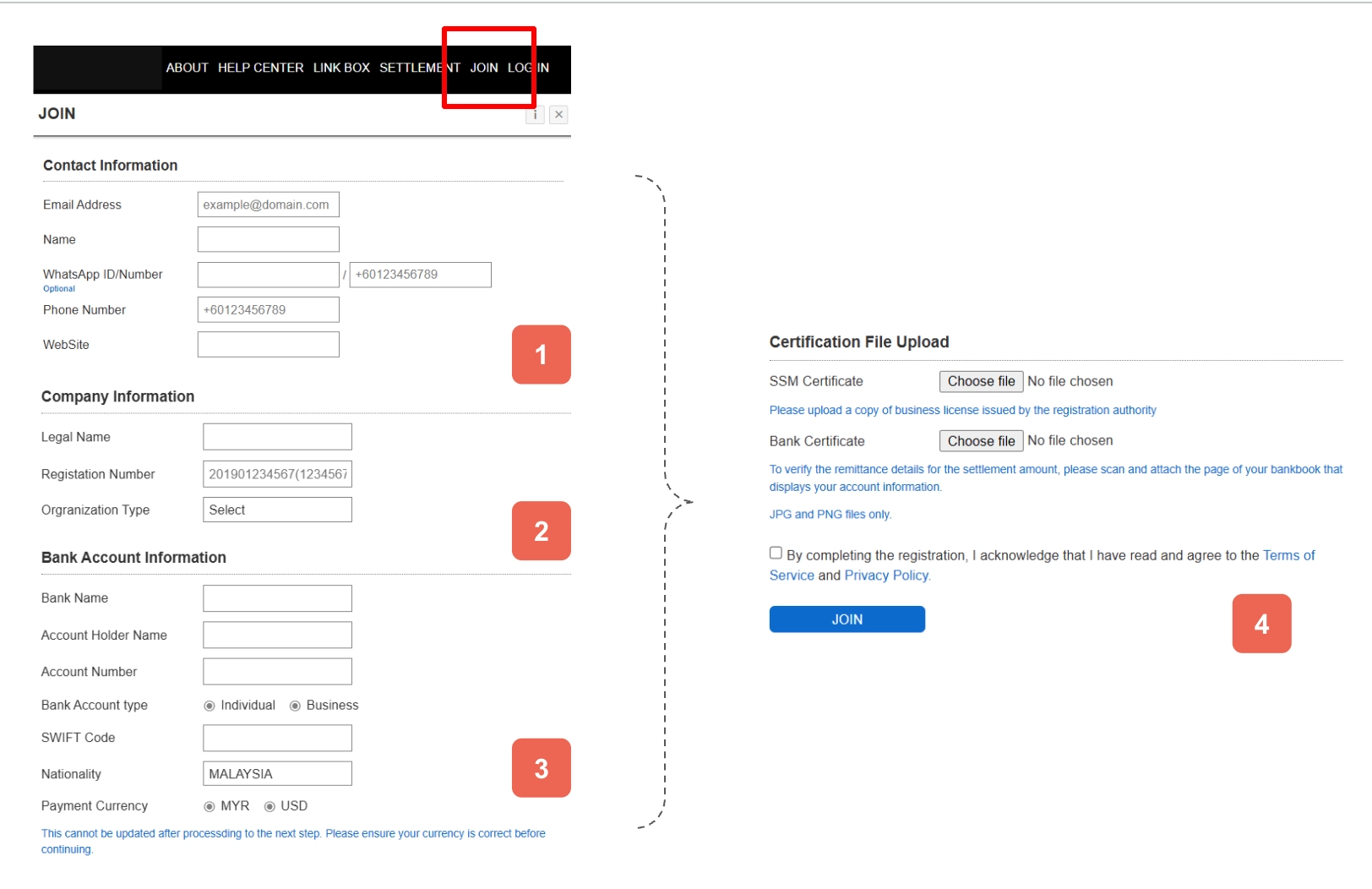
Comm. Fill in the business information for the account you are registering and the bank information for settlement. Please be sure to attach your verification documents for final verification. If you don't have verification documents, your subscription will be put on hold, or we may ask you for more.
[1] Enter your account user information.
[2] Enter your company information.
(3) Enter your bank details for settlement.
[4] Upload relevant documents from your company and bank as files.
Logging in
•
After entering the email you registered with during account registration, enter the 'security code' you received to authorize your login.
•
You have 120 seconds to register the security code, otherwise you will need to request the security code again.
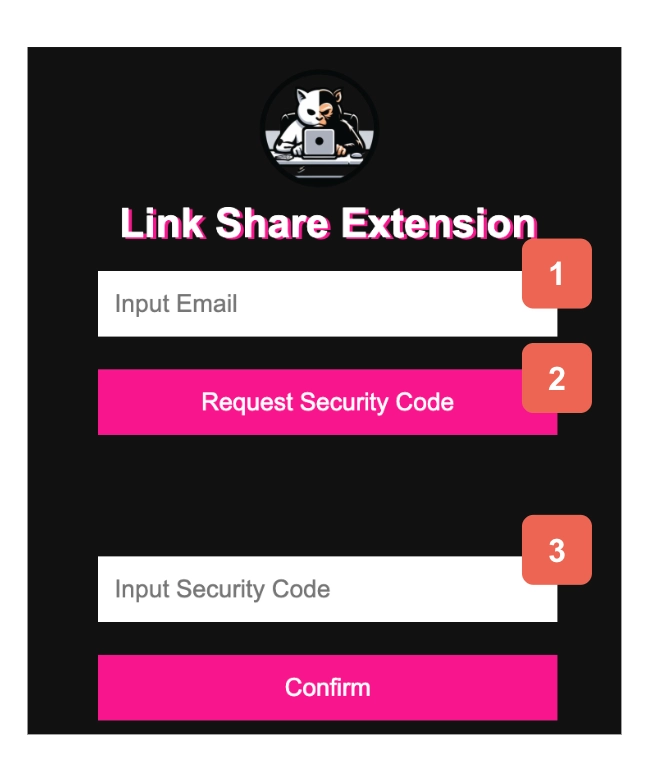
Comm. [1] Enter the email information you registered when you signed up. [2] Click the Request security code menu [3] Enter the security code from the received email.
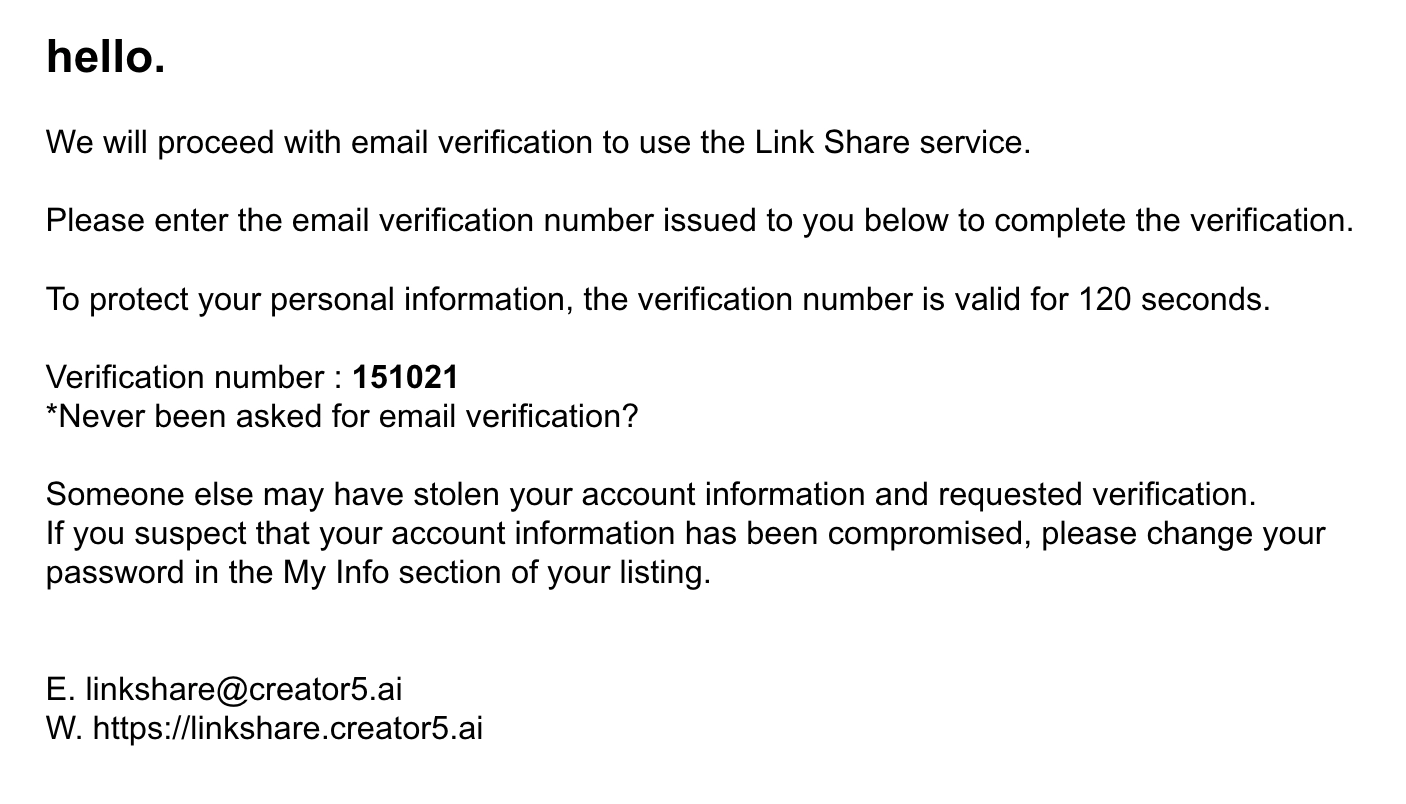
Comm. Content delivered in the security code request email. Enter the number from Verification number in [3] to log in.
Listing and saving recommended products
•
View detailed descriptions of recommended products.
•
Select the product you are interested in, click the 'KEEP' menu button, and the product will be added to the 'KEEP BOX' on the right.
•
Select the radio button of the product you want to use among the products registered in KEEP BOX.
•
Click the 'Get Link Share' button for external use for the selected product.
•
A window will open to extract the link, enter the 'Deployment Code' value for the product.
•
The 'Link Share' window at the bottom will show the link to use, click the 'COPY' button to use it wherever you want.
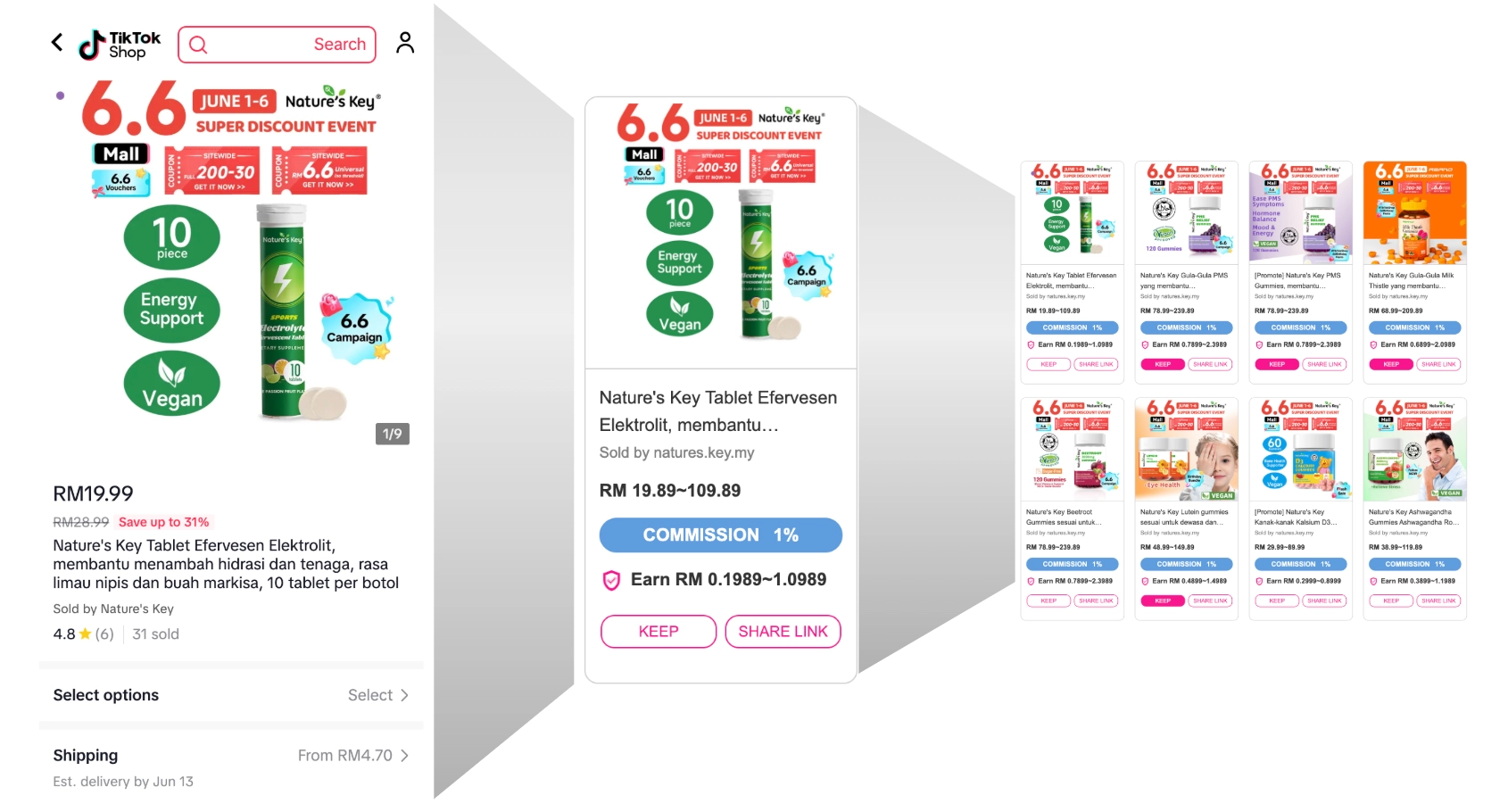
Comm. Provides a list of products that you can earn commissions for promoting to external channels via Link Share. Each product is sold through TikTok Seller, and the commission and terms for each product are negotiated separately.
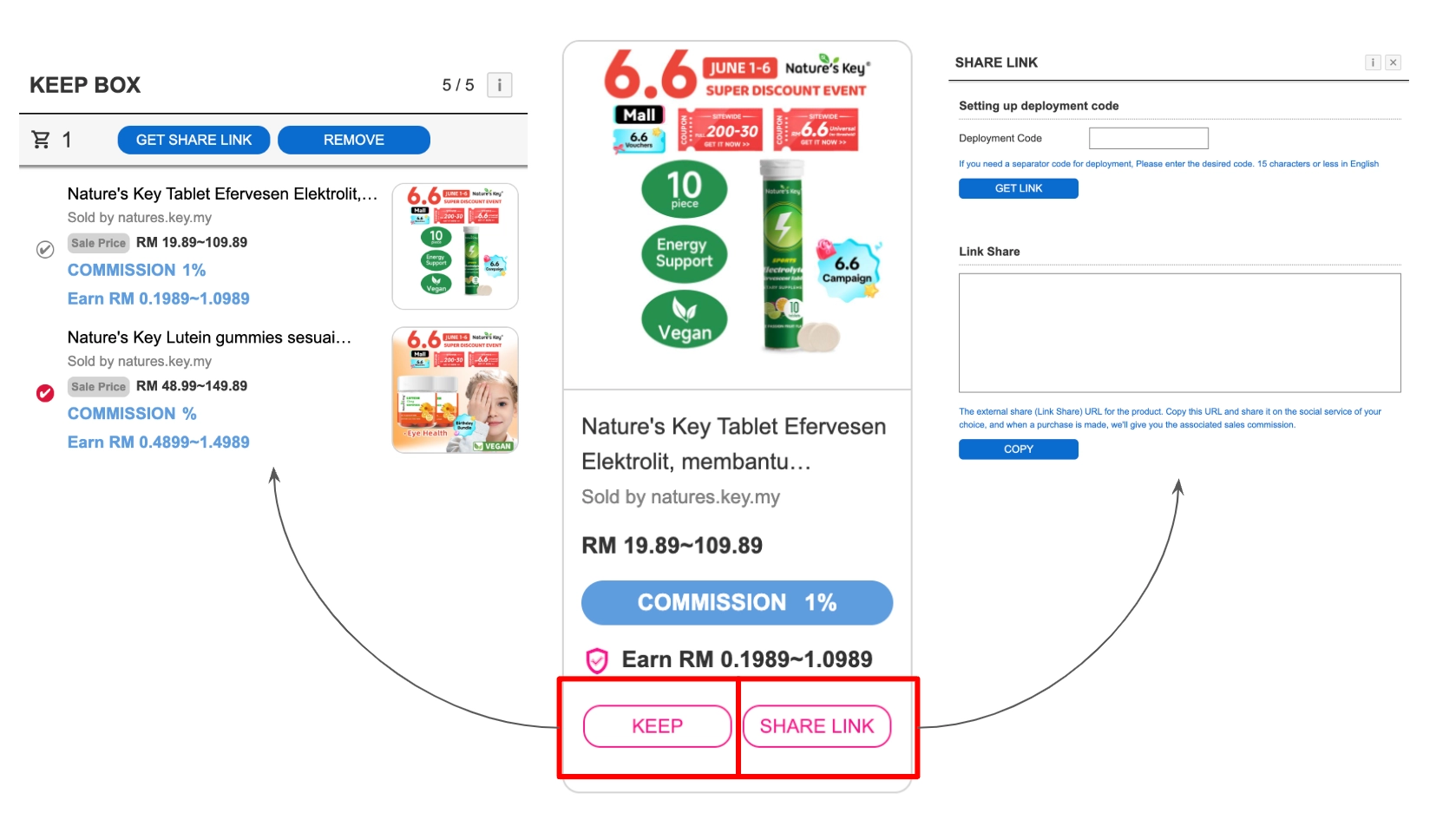
Comm. You can archive and extract links to individual products, and if necessary, you can archive multiple products in a KEEP BOX and reselect the required products to extract links.
How to utilize links
•
Extract the address for external use of your product via 'Share Link'.
•
The address you extract is stored in the 'LINK BOX'.
•
Use the LINK BOX to reuse the product code again.
•
Use the REMOVE button to clean up your list of unwanted products.
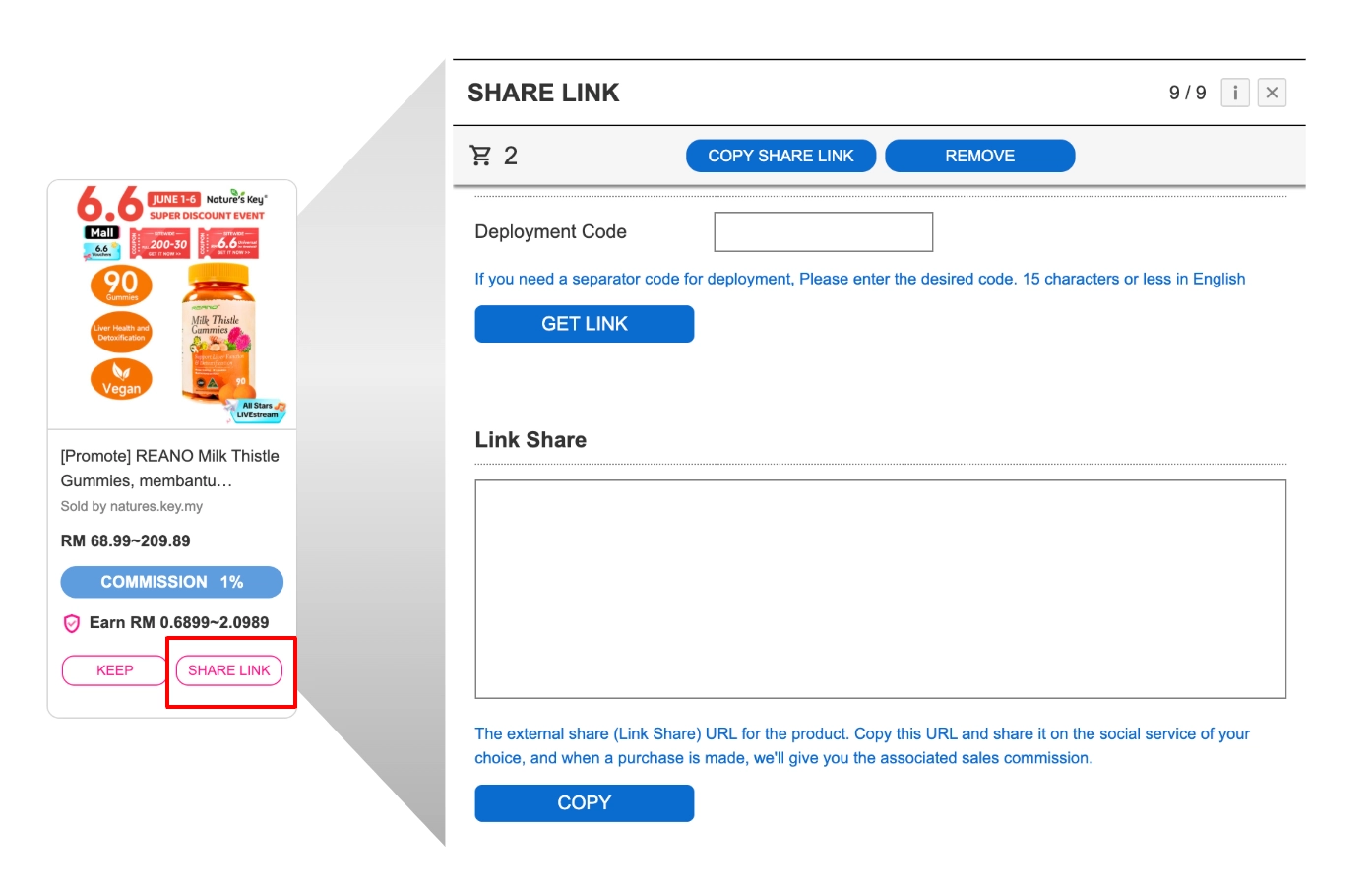
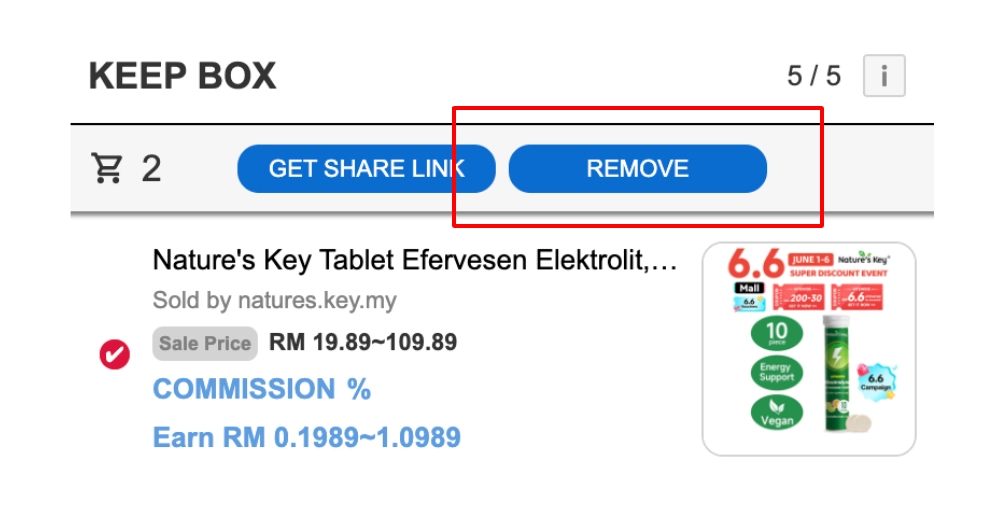
Managing Deployment Code Issued Products 'LINK BOX'
•
Products that have been addressed are automatically archived in the 'Link BOX'.
•
You can utilize external channels (social channels, etc.) through archived products.

Click on Comm. The menu on the top right will lead you to 'LINK BOX'.
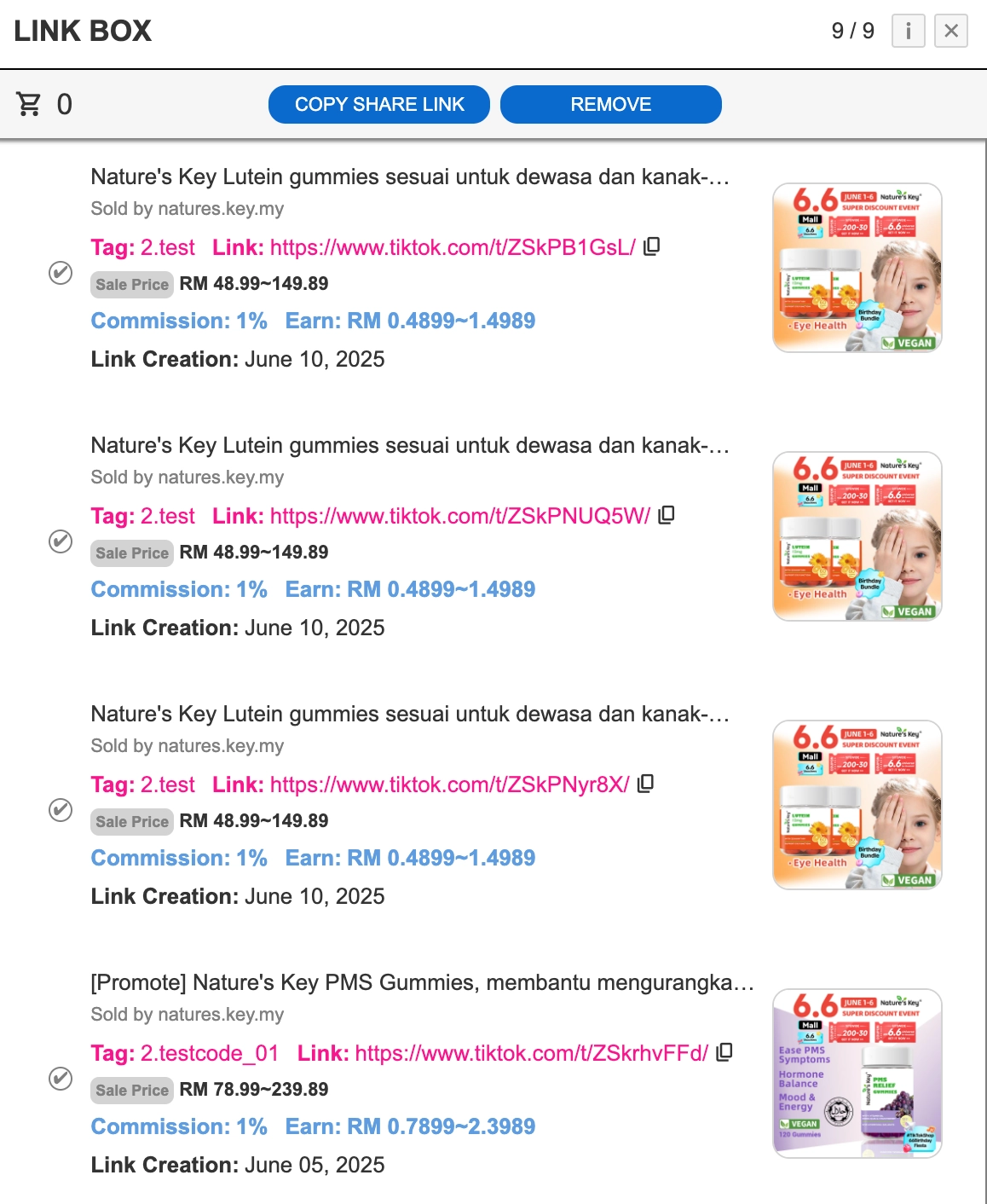
You can check the registered products in the Comm. LINK BOX, you can check the registered products. If you want to re-copy (issue) the code for each product, select the desired product and select the 'COPY SHARE LINK' menu at the top.
Service Utilization Features
•
Utilize filters to sort your product listings.
•
You can review based on recent listing status, sale price, and commission percentage.
•
Review your listed product information on a per-shop basis.
•
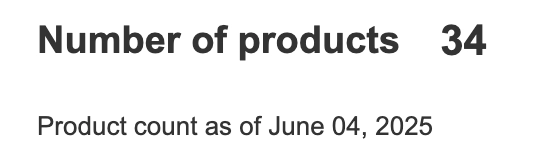
It shows the date it was updated and the total number of products listed.

Settlements
•
Manage your sales status by time period.
•
You can see summarized information based on a set time period.
•
You can view information generated through Link Share based on various filtering criteria.
•
You can see sales by date in more detail.
•
Month-end reconciliations are managed separately.
Other
•
The Link Share service is constantly updated.
•
Various promotions and information will be updated via announcements.
•
If you have any questions, you can check out our FAQs.
