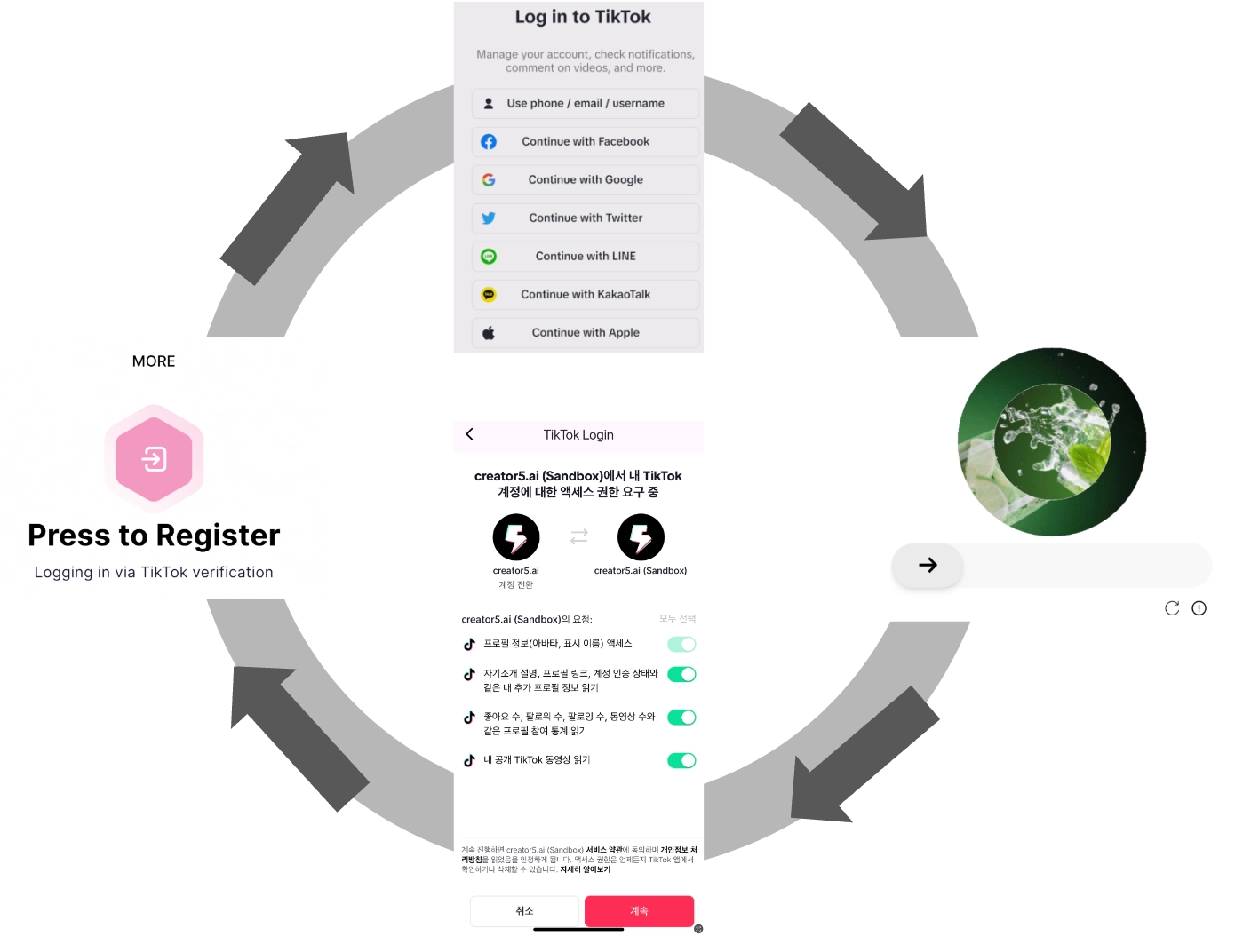

Here's how to link your TikTok ID to Creator5.
Here's how to link your TikTok ID to Creator5. To use the Creator5 app, you need to link your TikTok ID. Here's how to do it.
1.
Select the 'MORE' menu in the Creator5 app.
2.
Click 'Press to Register' at the top.
3.
A window will open for the TikTok Login column.
4.
Select the desired form.
5.
Proceed to the security process for authentication.
6.
Enter your username/password.
7.
Authorize the link between your TikTok account and the Creator5 app.
8.
Once logged in, use the Creator5 service.